


-
 Courier delivery

-
Official Brand Warranty (Check with Manufacturer)

-
3 Days DOA Replacement

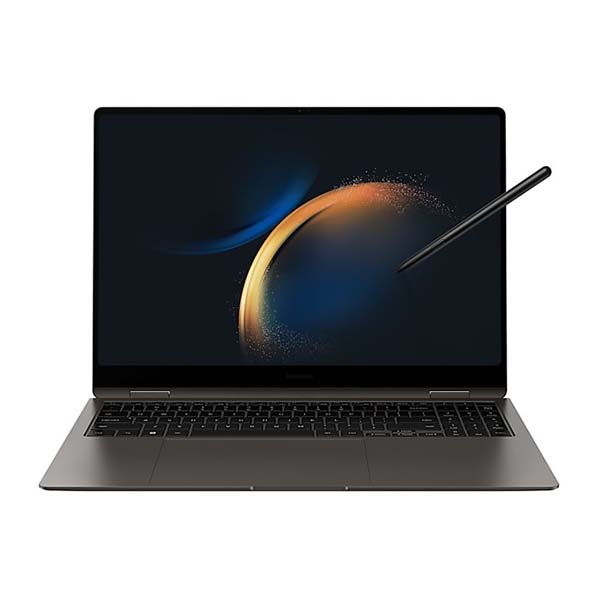
Samsung Galaxy Book3 Pro 360, 40.62cm (16″), i7, 16GB, Intel Xe Graphics Laptop
Feature

Galaxy Book3 Pro 360: Official Unboxing
Design that bends over backwards
Weighing in at under 1.8kg and encased in a sturdy, compact aluminum body, the Galaxy Book3 Pro 360 is portable enough to take just about anywhere. Grab this convertible laptop in Graphite or Beige and work on the go.
*Thickness, weight and color availability vary by model, configuration and country.

S Pen. To screen. To life
Turn your bright ideas into inspiring content — simply flip the screen, grab the S Pen and jot down ideas, sketch, draw and fine-tune photos and videos with incredible precision.
*Adobe product screenshots reprinted with permission from Adobe.

True-to-life, true-to-touch
Immerse yourself in true, crisp 3K (2880×1800) resolution that lets you see everything in bold color and sharp detail — even if your office is outdoors. Plus enjoy 120Hz smoothness as you type, tap and draw. Create for as long as you like thanks to reduced blue light emission for extra eye care.

*Screen size varies by model.**Screen size is measured diagonally as a full rectangle without accounting for the rounded corners. Actual viewable area is less due to the rounded corners.***Blue light emission is reduced compared with conventional LCD displays.
Hustle. Grind. Create. Unwind
Step up your game and speed up your work with blazing-fast speeds and smooth performance. Your workloads and games are no match for the latest 13th Gen Intel® Core™ processor.

*CPU and GPU specifications vary depending on model, country, or region.**Screen image simulated for illustrative purpose.***Adobe product screenshots reprinted with permission from Adobe.
More touch pad. More possibility
With an expanded touch pad and wide range of built-in ports, get the plugs and versatility you’ve been searching for — HDMI, USB-A, microSD slot and even two Thunderbolt 4 ports for blazing-fast 40 Gbps file transfers. No dongle needed.

*Touch pad size compared with Galaxy Book2 Pro 39.62cm (15.6″) and Galaxy Book2 Pro 360 39.62cm (15.6″).
Where creativity gets its spark
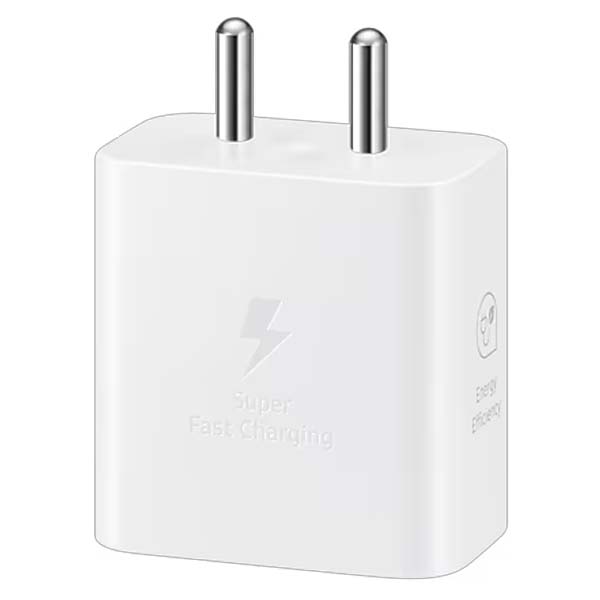
Stay powered through your projects with a long-lasting 76Wh (typical) battery for up to 19 hours of video runtime. Take a power nap as you top up with up to 6.7 hours of video runtime in just 30 minutes — with a light and compact charger that even works with your other Samsung Galaxy devices.

Flip into home theater mode
Get your popcorn ready — the quad-speaker system on Galaxy Book3 Pro 360 features four immersive speakers, AKG and Dolby Atmos technology to ensure a crystal-clear experience from opening scene to post-credits.

Studio Mode has entered the video chat
Studio Mode gets you camera-ready with smart features — from enhanced AI Noise Cancelling, to Auto Framing and background effects. Combined with the wide-angle camera and studio-quality mics, it ensures you look and sound your best on every video call.

*Screen simulation shows Microsoft Teams video calling with chat and polling. Microsoft Teams is licensed separately. Features and app availability may vary by region.
Your brilliant ideas stay yours
Protect your content with Secured-Core PC — sophisticated layers of security safeguard the hardware and defend the firmware and OS from attacks. Lock down your IDs and biometrics, so you are secure no matter where creativity takes you.
Next-level networking
Go from editing creative projects to enjoying and sharing content with the super-fast speeds of 5G and Wi-Fi 6E, or hook up to your phone’s connection easily via Instant Hotspot to use its data network instead.
Galaxy ecosystem

*Galaxy S23+, Galaxy Tab S8, Galaxy Watch5, Galaxy Buds2 Pro and S Pen shown are sold separately.**Screen image simulated for illustrative purposes.

Expand your workspace with Second Screen
*Second screen is available on select Galaxy models only, including Galaxy Tab S7, S7+, S7 FE, S8, S8+ and S8 Ultra.

A seamless experience across Galaxy
Galaxy Book Experience puts all your Galaxy apps and features in one place. Launch to quickly access essential apps, get intelligent app suggestions and easily manage your Samsung account.
*Single Sign-On works on apps including Quick Share, SmartThings, Bixby, Samsung Bluetooth Sync, Samsung Multi Control, Samsung Notes and Samsung Gallery.

Instant sign-in, now on PC
Memorizing passwords is a thing of the past. Samsung Pass lets you sign in to websites instantly with ID and password autofill by safely sharing your login credentials between your phone and PC.


Pick up where you left off, from phone to PC
Phone Link puts your recently viewed web pages, texts and even calls right on your PC. No Wi-Fi? Hook up to your phone’s data connection via Instant Hotspot.
*Phone Link requires linking a Samsung Galaxy smartphone to a Windows PC through ‘Link to Windows’ app on phone and ‘Phone Link’ app on PC and following the set-up prompts, including being signed into the same Microsoft account.

Switching made simple
Transferring your data from your old laptop to your Galaxy Book3 Pro 360 is as simple as one, two, switch.
*Availability of Galaxy Book Smart Switch may vary depending on OS, and the transferable files are informed during program execution.

Share quickly, share privately
Quick Share lets you seamlessly share files with nearby devices through direct wireless pairing. Need to share something more personal? Private Share makes sure it stays protected by encrypting your files with blockchain technology.
*Available on Galaxy device with One UI 2.1 or later versions installed.**Quick Share uses Bluetooth Low Energy and Wi-Fi Direct.***Screen image simulated for illustrative purposes.****The transferable type, number, capacity and expiry date of files as well as the number of simultaneous file shares in Private Share may be limited.
| Weight | 1 kg |
|---|---|
| Product Type | Normal |
| Color | Graphite |
| Brands | Samsung |
| Laptop Series | Galaxy Book |
| Laptop Size | 16″ INCH |
| Processor Series | Core i7 |
| RAM Size | 16GB |
| RAM Type | LPDDR5 |
| Resolution | 2880 x 1800 |
| Storage Capacity | 512GB |
| Storage Type | SSD |
| EAN / UPC Code | 8806094507279 |
Only logged in customers who have purchased this product may leave a review.
Reviews
Clear filtersThere are no reviews yet.