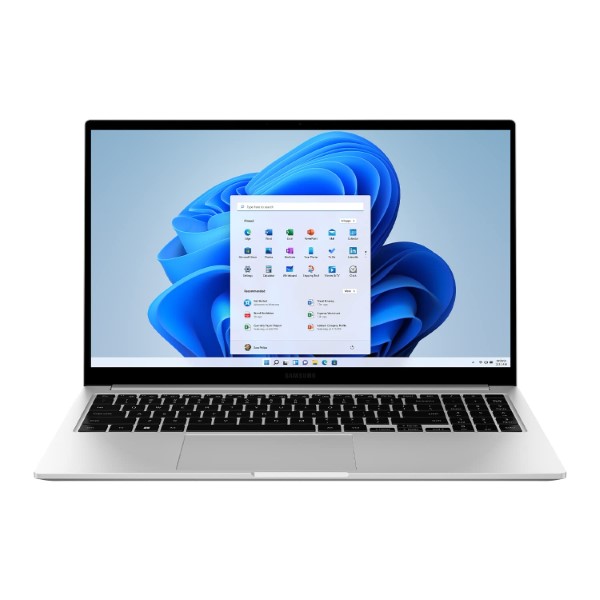
Samsung Galaxy Book 2 Intel 12th Gen core i5 39.6cm (15.6″) FHD LED Thin & Light Laptop (8 GB/512 GB SSD/Windows 11/MS Office/Intel Arc Graphics 4GB/Backlit Keyboard/Silver/1.6Kg), NP750XEE-XB1IN

✈️ Estimate Delivery:
236 People watching this product now!
21 Items sold in last 3 hours
  • Stylish & Portable Thin and Light Laptop
  • 15.6 Inch Full HD LED Display, Anti-Glare
  • Core i5 Processor
  • Windows 11 Home Operating System
  • Intel Integrated Arc A350M Graphics
  • Finger Print Sensor for Faster System Access
  • Light Laptop without Optical Disk Drive

Disclosure: Links on this page may be affiliate links. If you make a purchase through these links, we may earn a small commission at no extra cost to you. As an Amazon Associate, we earn from qualifying purchases.

SKU: NP750XEE-XB1IN

Missing Product?

Shipping & Delivery

  • Courier delivery

Our courier will deliver to the specified address

1-5 Working Days

  • Official Brand Warranty (Check with Manufacturer)

  • 3 Days DOA Replacement
Description

Samsung Galaxy Book 2 Intel 12th Gen core i5 39.6cm (15.6″) FHD LED Thin & Light Laptop (8 GB/512 GB SSD/Windows 11/MS Office/Intel Arc Graphics 4GB/Backlit Keyboard/Silver/1.6Kg), NP750XEE-XB1IN

Meet the slim and sleek new Galaxy Book2

Galaxy Book2 offers a wide 39.62cm (15.6″) display with plenty of productivity-boosting space. And it’s neatly framed in a sleek full aluminum body, delivering style and durability.

The latest Intel processor meets the new Intel® Arc™ GPU for ultimate performance

Galaxy Book2 delivers top-tier performance, complete with a powerful 12th Gen Intel® Core™ processor. It has 12 cores and a new Intel® Arc™ GPU onboard to power through complex workloads. Operations run smooth and fast, especially with dual thermal cooling fans.

There is a Galaxy Book2 facing the front. Onscreen is a screen of Adobe Photoshop 2022 software with blue waves and bubbles. Above are three certification logos: From left to right, Intel® Core™ i5, i7 processors, and Intel® Arc™ Graphics.

Quick and powerful SSD, with room to expand

Galaxy Book2 comes with a powerful SSD drive for fast storage. It also has an additional slot you can use to expand.
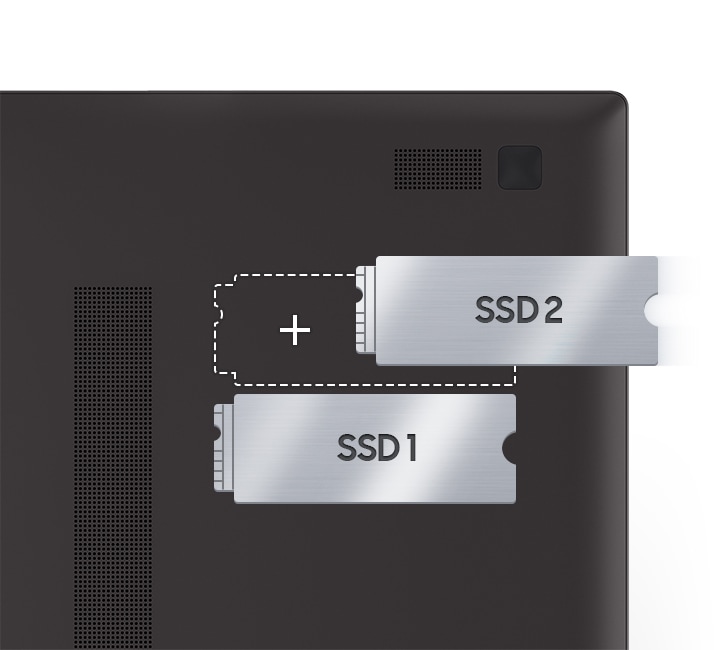
There are two SSD slots inside the Galaxy Book2 hardware. SSD 1 is on the bottom slot and the top slot has a dotted outline with a plus sign. SSD 2 is on its right, indicating that it is being added to the top slot.

Intelligent video calling experience

Galaxy Book2 makes you look and sound your best on video calls, while cutting out distractions. It boasts an HD camera, clear audio with Dolby Atmos, and great sound with a dual mic. And Studio mode always makes you look professional by Auto framing the screen or blurring the background.

A Galaxy Book2 is facing the front with a video call taking place onscreen. On the left taking up most of the screen, a woman is smiling and waving. To her right are three other participants, two men and a woman. On the far right is a chat room. Below the PC screen is logo for Dolby Atmos.

*Screen simulation shows Microsoft Teams video calling with chat and polling. Microsoft Teams is licensed separately. Features and app availability may vary by region.**Performance of studio mode may vary depending on product specifications.

Light and powerful – only need to carry one

Galaxy Book2 features a long-lasting 54Wh battery and a charger to keep your device up and running. This small and compact charger makes for a super portable accessory and it’s also compatible with your other Galaxy devices with its USB C-Type cable.

A white USB Type-C cable is on the left and the top cover of a graphite-colored Galaxy Book2 is on the right with the Samsung logo facing the front. Above the PC is a battery charging symbol next to the text 54Wh.

A full complement of ports

Power users who regularly use a wide range of storage devices and peripherals will appreciate being able to plug in without having to carry an extra multi-cable.

Two graphite-colored Galaxy Book2 devices are next to each other on their sides to indicate their various ports. The one on the left is slightly open and displays the right side of Galaxy Book2 which has 4 ports. From top to bottom, there is a security slot, a USB 3.2, HP/Mic, and a microSD. On the right, the other side also has 4 ports. From top to bottom, there is a USB Type-C port, a USB 3.2 port, a HDMI port, and another USB Type-C port.

Galaxy Ecosystem

From left to right, there is an S Pen, a Galaxy Tab S8, a Galaxy Book2, a Galaxy S22 Ultra, a white Galaxy Watch4, a white Galaxy Buds2 case, and a pair of black Galaxy Buds next to it on the floor. On the screens of tablet, PC, and smartphone, is a man dancing in front of a yellow wall.

*Galaxy Tab S8, Galaxy S22 Ultra, Galaxy Watch4, Galaxy Buds2 and S Pen are sold separately.**Screen image simulated for illustrative purposes.

Double the screen, multiply productivity

Connect your Galaxy Book2 with a Galaxy Tab wirelessly to add a Second screen. You can duplicate or extend, and instantly work across both devices with Samsung Multi Control. Slide the cursor from screen to screen and control Galaxy Tab and Galaxy Book with just one keyboard.
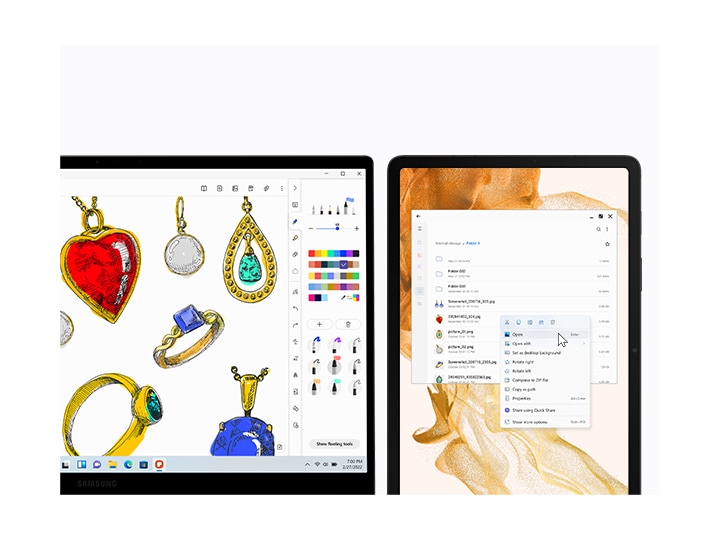
Galaxy Book2 and Galaxy Tab S8 are next to each other. There are sketches of various jewelries on the PC using Samsung Notes app. On the tablet to its right, a list of image files is in a folder. A mouse cursor is on the Open button.

Simple. Secure. Peace of mind sharing

The Quick Share feature is a convenient way to wirelessly send files across Samsung Galaxy devices. And Private Share offers a new option to encrypt files using blockchain technology. You’re in control of what you share, and can set an expiration date on file accessibility.

*Available on Galaxy device with One UI 2.1 or later versions installed, and Quick Share uses Bluetooth Low Energy and Wi-Fi.**Screen image simulated for illustrative purposes.***The transferable type, number, capacity, and expiry date of files as well as the number of simultaneous file shares in Private Share may be limited.
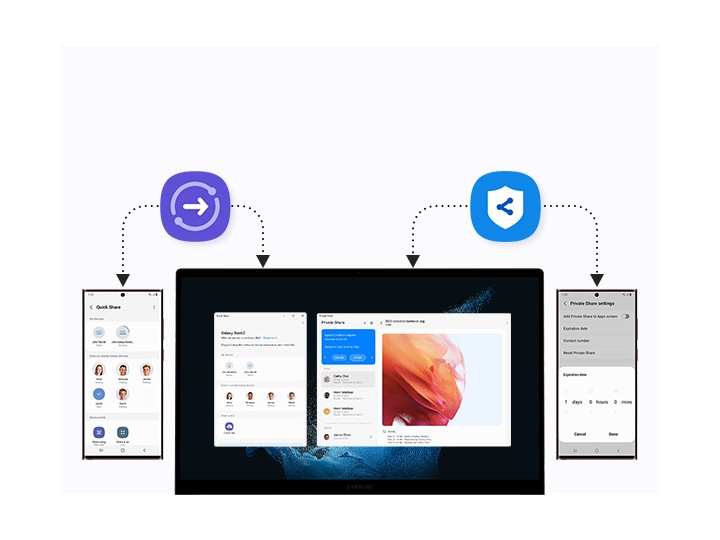
A Galaxy Book2 is placed between two Galaxy S22 Ultra devices. A logo of Quick Share and Private Share are above them. On the left side of the PC screen, there is a Quick Share window with a list of users and detected devices. A red wavy lookbook cover is on the right side of the screen. A Galaxy S22 Ultra on the left, files can be transferred to PC via Quick Share, and vice versa. The other Galaxy S22 Ultra on the right, files can be safely transferred between the PC and the smartphone through Private Share.

What’s on your phone, now on your PC

Bring your mobile apps to Galaxy Book2. Your Phone app has been optimized for Galaxy users with Link to Windows. It provides a seamless inter-device experience for ultimate convenience, and use Recent Apps to open what you just enjoyed from your phone, right on your PC.
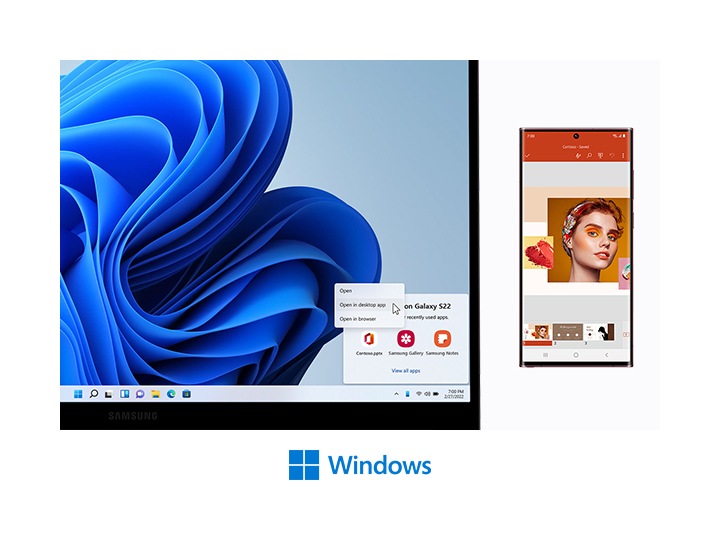
A Galaxy Book2 and a Galaxy S22 Ultra are next to each other. On the PC screen, there is a blue wavy wallpaper with a Recent Apps window from mobile in the bottom right corner. Recent Apps are PowerPoint, Samsung Gallery and Samsung Notes. A mouse cursor is on the Open in desktop app button on the PC screen. On a Galaxy S22 Ultra to the right, Microsoft PowerPoint is open with a slide that has color swatches as well as a face of a woman with colorful make up on. Below, there is a Microsoft Windows logo.

Daily life made easier

Make life easier with Bixby and SmartThings from your PC. Use voice command to ask Bixby about the weather, time, and more. You even have an option to control SmartThings-compatible devices from your PC – Bixby can help you with this too. Stay in control, and in your flow.
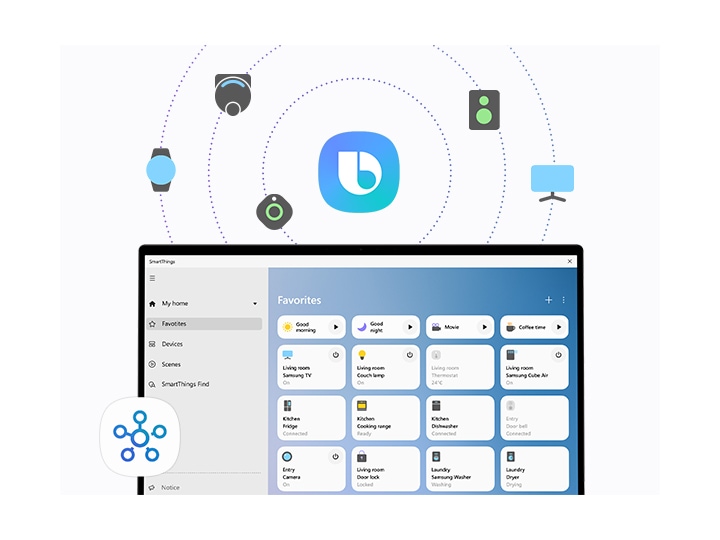
A favorites tab from the SmartThings dashboard is open on a Galaxy Book2. A SmartThings icon is on the left bottom part of the dashboard. Above the screen is a Bixby logo in the center. Bixby can be used to run SmartThings. Around it, there are several icons of Bixby-controllable devices, such as Galaxy Watch, SmartTag, a robot vacuum cleaner, a speaker, and a monitor.

Set up, sign on and enjoy your new Galaxy Book2 fast

Galaxy Book Smart Switch and Single Sign-On combine to make it easy to onboard a new Galaxy Book2. Galaxy Book Smart Switch transfers your files and settings from your old device, and Single Sign-On gets you into your Galaxy ecosystem and favorite apps with just one log-in.
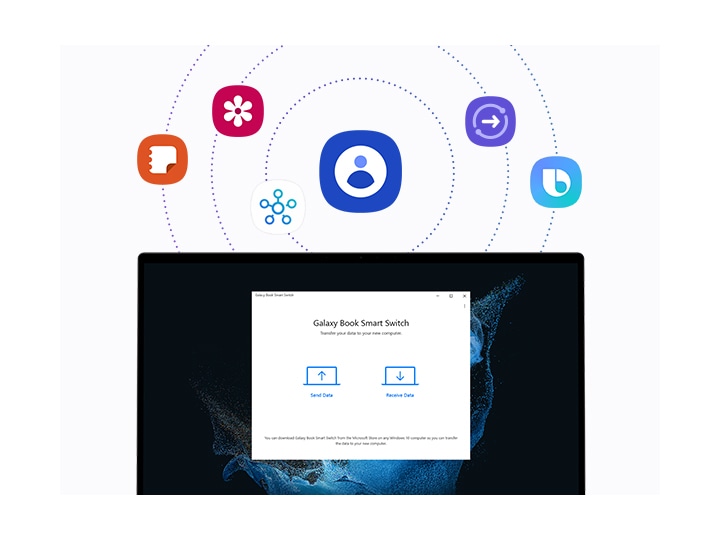
Galaxy Book Smart Switch is running on a Galaxy Book2. There are two icons of a PC on the screen, each with an upward and downward arrow with the texts, Send Data and Receive Data. Above the Smart Switch screen are several Galaxy app icons such as Contacts, Samsung Notes, Samsung Gallery, SmartThings, Quick Share, and Bixby that users can access all at once through Single Sign-On.
Additional information
Weight1 kg
Brands
ColorSilver
Laptop SeriesGalaxy Book
Laptop Size15.6″ Inch
Processor SeriesCore i5
RAM Size8gb
RAM TypeLPDDR5
Storage Capacity512GB
Storage TypeSSD
Reviews (0)
0 reviews
0
0
0
0
0

There are no reviews yet.

Only logged in customers who have purchased this product may leave a review.