



-
 Courier delivery

-
Official Brand Warranty (Check with Manufacturer)

-
3 Days DOA Replacement

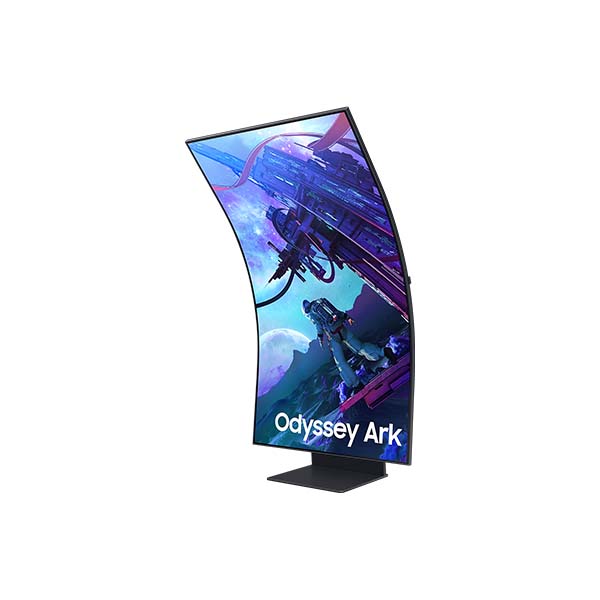
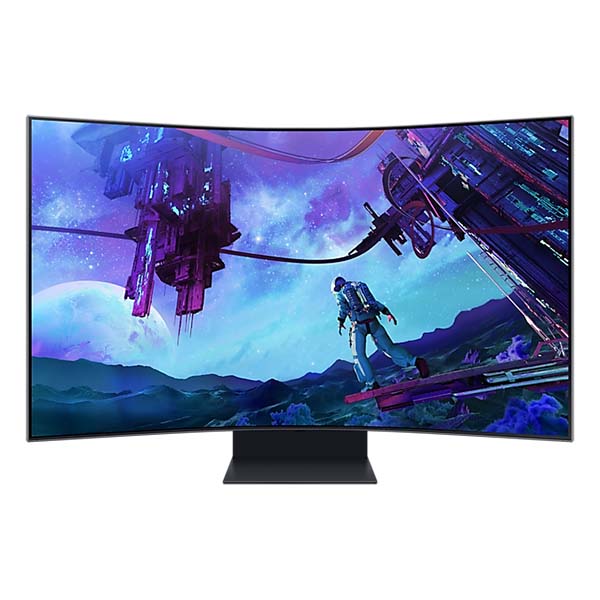
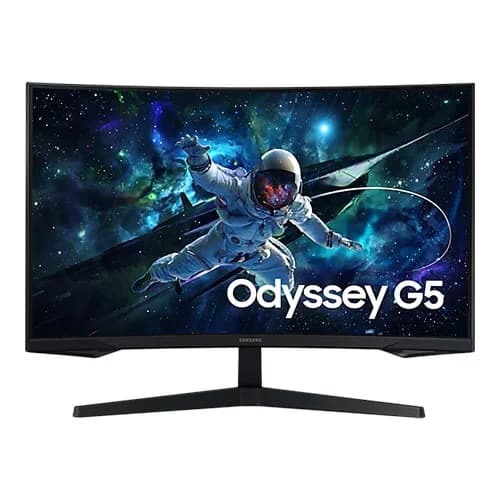
Samsung Odyssey 55 inch Ark 2nd Gen. Gaming Monitor with 4K UHD, 165Hz ,1ms GTG, 1000R Curvature
Feature

Overwhelm your senses
Samsung 1m 38.8 cm large screen & 1000R curvature
Be immersed in lifelike images. The 1m 38.8 cm screen delivers a picture that overwhelms your senses, creating an adrenaline-fueled experience superior to anything seen before. This is upgraded by 1000R curvature to wrap around your field of vision for maximum immersion.
* Optimal viewing distance is at over 80cm.
Upgrade your multitasking with more inputs
4-input Multi View
A whole new way to view. Connect and see up to 4 inputs at once with the upgraded Multi View __ even play console and PC games at the same time. Focus on your games while you connect with friends and look up the best strategies all on one screen, while keeping your desk free from wires and clutter.

* In Cockpit Mode, Multi View can show up to 3 screens on one display.** Game Mode, VRR, and Cloud Game are not supported while in Multi View mode.*** While in Multi View mode, refresh rates of up to 120Hz are supported for external inputs.**** Some Smart Hub features may not be supported depending on the service provider, language, or geographical area.
AI-enhanced 4K cinematic experience
Neural Quantum Processor Ultra
Enjoy powerful cinematic experiences. By combining 20 multi-layer neural networks, the AI-Powered processor cleverly analyzes images to restore every detail, pixel by pixel. Automatic brightness adjustment, contrast amplification and enhancements upscale the resolution of whatever you’re watching.

A race car is driving down the road against a blurred city backdrop before a microchip “Neural Quantum Processor Ultra” appears overlaid on top of the car. Key areas of the car and backdrop are identified and enhanced before the full scene appears in crisp clarity.
In-depth detail for a competitive edge
HDR 10+ gaming
See every detail in all its glory. From gloomy shadows to sun-scorched scenes, the 1,000,000:1 contrast ratio enables enhanced color expression and depth. Get a competitive edge with HDR 10+, which automatically adapts games in real-time to show you every detail that could lead to victory.
Never be distracted by glare
Matte display
Focus only on what matters. The distraction-free matte screen absorbs, not reflects, artificial and natural light, keeping you laser-focused during the toughest battles and hardest levels.
The gamer’s face is seen reflected to the screen. A dotted line scans across the screen from left to right. “Matte Display” on the left is not seen with reflected the gamer’s look, while “Glossy Display” on the right still shows as his reflected. The UL verification logo on the right corner.
Incredible 4k gaming refresh rates
165Hz & 1ms(GtG)
Conquer every enemy, even at extreme speed. 165Hz refresh rate eliminates lag for exhilarating gameplay with ultra-smooth action. Identify enemies with elite precision with a 1ms response time(GtG), precise mouse movements, and blur-free frames, with minimized ghosting.
* “1 ms” means one milliseconds which is the range of avg. response time between 1.00ms to 1.99ms truncated to whole number.* Based on GtG measured under internal test conditions. Results may vary by content and monitor settings (requires ‘Extreme mode’ setting).* GtG (Gray to Gray) measures the time taken for a monitor pixel to change from one gray value to another.
Focus without ever breaking flow
AMD FreeSync Premium Pro
Hyper action made seamless. Support of Variable refresh rate (VRR) with AMD FreeSync Premium Pro keeps the GPU and panel synced up to eliminate choppiness, screen-lag, and image tears. Fast-action and complex game scenes are stable and stutter-free for your competitive edge.
Where gaming comes together
Gaming Hub
The best of gaming all in one place. Gaming Hub allows instant access to top streaming services, your favorite consoles and PC. Smooth visuals and responsive gameplay are powered by Samsung’s advanced game streaming technology without downloads or storage limits – just turn on Ark and play.
* Gaming Hub is available in limited countries, with app availability differing by country.** Accessing Gaming Hub is free of charge. Subscription may be required to access content offered by game-stream providers on the Gaming Hub platform.*** A separate controller may be required depending on the specific game in Gaming Hub.**** You will need a Samsung Account to access our network-based smart services. If you choose not to log-in, you will only get connection to terrestrial TV (applicable to devices with tuners only) and external devices, e.g. via HDMI.

| Weight | 5 kg |
|---|---|
| Color | Black |
| Brands | Samsung |
| Display Panel | VA |
| Display Type | LED |
| Refresh Rate | 165Hz |
| Resolution | 3840 X 2160 |
| Response Time | 1ms |
| Screen Size | 55 |
| Warranty | 3 Years |
| EAN / UPC Code | 8806095053654 |
Only logged in customers who have purchased this product may leave a review.
Reviews
Clear filtersThere are no reviews yet.